1st Grade
Term 1, Week 1
August 11th-15th
⚙️Welcome to Jr. Innovation Lab!
⚙️Go over lab rules together.
⚙️Get to know you activity...Stand, Sit, Hands on Hips
⚙️Begin "All About Me" laptop art activity


Be saving paper
towel rolls!


Term 1, Week 2
August 18th-22nd
⚙️Finish "All About Me" laptop art activity.
⚙️Discuss Teamwork. Watch the video of the story of The Hunter and the Doves.
⚙️Work as a team to all lift a ball at once.


Be saving paper
towel rolls!
Term 1, Week 3
August 25th-29th
⚙️What is "collaboration?" Read the book, Collaboration Station.
⚙️Butcher Paper Teamwork - What could you do with a paper plate? A cup? A piece of string?
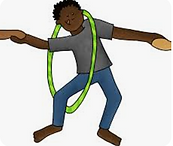
⚙️Complete the Hula Hoop Challenge as a whole group.

Be saving paper
towel rolls!
Term 1, Week 4
September 2nd-5th
⚙️What is S.T.E.M? Discuss the areas of S.T.E.M. Watch video.
⚙️Complete the 12 Circles Challenge. Students have 5 minutes to turn as many circles into pictures as they can.
⚙️Team Challenge: Don't drop the ball!


Term 1, Week 5
September 8th-12th
⚙️Discuss computers: how we use them, how they work, and different types of technology.
⚙️Watch StoryBots: How Do Computers Work?
⚙️Students will learn basic technology equipment (as shown below). Students will color a piece of equipment using technology images as a code.

Season 2, Episode 1 (Netflix)


Term 1, Week 6
September 15th-19th


⚙️Discuss Digital Citizenship using the Slide Show.
⚙️Students may color with crayons, the Digital Citizens handout.
Term 1, Week 7
September 22nd-26th
⚙️Students work with a partner to build a structure with plastic cups and popsicle sticks.
.

Term 1, Weeks 8 & 9
September 29th-October 3rd and October 6th-October 9th
⚙️Students will play Lego Scoot working on different Lego builds at each station. When Mrs. Brister says "Scoot," students must break down their build and move to next station 1 minute.


Term 2, Weeks 1 & 2
October 14th-October 17th and October 20th-October 24th
⚙️Students will learn basic coding skills using various apps on the iLab iPads.


Code-A-Pillar
Coding Safari
Term 2, Week 3
October 27th-October 31st
⚙️Students will work with Ozobots to code mazes in which the bot increases or reduces speed, change colors, etc.


Term 2, Week 4
November 3rd - November 7th
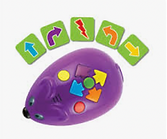
⚙️Students will take the coding skills they have learned and put them into play using Code & Go robots.

Term 2, Week 5
November 10th-November 14th
⚙️Coding UNPLUGGED! - Students will work with various grids (to navigate via block code) a path to given objects in a theme.


Term 2, Week 6
November 17th-November 21st
⚙️Students will work to complete the Fall Mystery Picture handout using Math skills in a hundreds chart.
⚙️If students finish early, they may work on the "Fall is in the Air" wordsearch.


Thanksgiving Break - November 25th-29th
December 1st-December 5th and December 8th - December 12th
Term 2, Weeks 7 & 8
⚙️Students will work on various Christmas/Winter-themed apps that teach various skills like matching, hidden pictures, and addition/subtraction.
Term 2, Week 9
⚙️Students will finish wreaths (if haven't finished yet)
⚙️Students will watch "A Storybots Christmas" (25 minutes)


Christmas Break - December 18th-January 5th
Term 3, Week 1
January 5th - January 9th
⚙️Students will create a firework art piece using black cardstock, smoothie straws, and paint.

Term 3, Weeks 2, 3 & 4
January 12th - January 16th
January 21st - January 23rd
January 26th - January 30th
⚙️Over the next few weeks, students will work with the Osmo system to practice various skills such as math fundamentals, early literacy and spelling, coding and computational thinking, early physics and scientific reasoning, and spatial awareness.

Term 3, Week 5
February 2nd - February 6th
⚙️ Students will scan given QR codes that will take them to Highlights Kids where they will use their observation skills to locate objects hidden in various pictures.

Term 3, Week 6
February 9th - February 13th

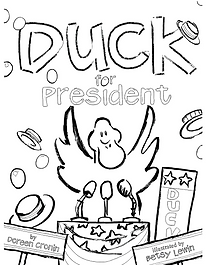
⚙️ Students will listen to the story read alound, Duck for President written by Doreen Cronin.
⚙️ Students will compare and contrast with Mrs. Brister the Duck and Farmer Brown.
⚙️ Students will decide who they think will make the best president and vote by secret ballot.
⚙️ Afterwards, students will follow Mrs. Brister modeling how to use tally marks and a bar graph to calculate who won the presidency.
⚙️ If time allows, students may work on the coloring page of Duck for President


Term 3, Weeks 7-9
February 17h - February 20th
⚙️ Students will work hands-on with various manipulatives solving puzzles and using critical thinking.


.png)
Term 4, Week 1
March 16th - March 20th

⚙️ Students will listen to the Dr. Seuss book, One Fish, Two, Fish...
⚙️ Students will complete a tally and bar graphs from an assortment of colored Goldfish snacks.


Term 4, Week 2
March 23rd - March 27th
⚙️ Students will use observation and visual skills to spot the difference in two given pictures.

Term 4, Week 3
March 30th - April 2nd
⚙️ The class will play Resurrection Bingo as we discuss how Jesus rose from the grave.


Term 4, Week 4
April 7th - April 10th
⚙️ Students will work on math skills using the app Teach You Monster: Number Skills

Term 4, Week 5
April 13th - April 17th
⚙️ Students will work on litreacy skills using the app Teach You Monster: Adventurous Eating
.png)
Term 4, Week 6
April 20th - April 24th
⚙️ Discuss Earth Day. Students will listen to the book, How The Crayons Saved The Earth.
⚙️ Students will answer some questions about the book.
⚙️ Students will watch a video about crayons are made.
⚙️ Students will work on a guided drawing of the Earth.

Term 4, Weeks 7-9
April 27th - May 19th